MP3 Tag Editor and Playlist Tool
Easily manage your local MP3 music collection and create your exclusive music experience!
Product Introduction
The MP3 Tag Editor and Playlist Tool is a powerful application designed for music lovers and content creators. It provides an intuitive and feature-rich interface that allows users to easily manage their local MP3 music collection. Whether it's organizing a messy music library, customizing song information, creating personalized playlists, or conveniently sharing and downloading music, this tool meets all your needs.
Core Features and Functions
Comprehensive Music Library Management
- **Smart Scanning**: Quickly scan MP3 files in specified directories, automatically identifying and displaying ID3 tag information such as title, artist, album, year, genre, comment, duration, bitrate, and file size.
- **Categorized Browsing**: Supports browsing music by preset categories (e.g., "Meditation Music," "Shovel Man") for quick location.
- **Instant Search and Sorting**: Provides powerful search functionality to filter songs by keywords like title, artist, or comment; also supports multi-column sorting for an organized music library.
Precise ID3 Tag Editing
- **Single Track Tag Editing**: Offers a detailed tag editing interface for individual MP3 files, allowing modification of all key information like title, artist, album, year, genre, track number, and comment.
- **One-Click Extract All MP3 Cover Images**: Powerful batch image extraction feature that extracts all embedded cover images from MP3 files in your music library at once, making it easy to manage and backup your collection.
- **Batch Tag Modification**: A unique batch modification feature allows users to update common tags (e.g., album, artist, year, genre) for multiple MP3 files at once, greatly improving management efficiency. Supports clearing a tag by checking the field and leaving it blank. Capable of batch modifying 32+ MP3 files with impressive efficiency.
Personalized Playlist Experience
- **Custom Playlist Creation**: Easily create, save, and manage multiple personalized playlists (up to 4 playlists per user).
- **Drag-and-Drop Sorting**: Freely adjust the playback order of songs in the playlist through intuitive drag-and-drop operations.
- **Multiple Playback Modes**: Supports sequential, shuffle, and single-track repeat playback modes to meet listening needs in different scenarios.
- **AI Random Selection**: Provides an AI-assisted function to quickly fill a playlist by randomly selecting 12 songs from the music library.
Convenient File Operations
- **Single Track Download**: Supports direct download of single MP3 files from the music library or playlist; the filename is automatically prefixed with the category name for easy archiving.
- **Playlist Batch Download**: Allows downloading all MP3 songs in an entire playlist as a single ZIP file, with a clear filename format for easy management.
- **Online Music Player**: Built-in full-featured music player supporting play/pause, previous/next track, progress bar control, and volume adjustment, providing a smooth listening experience.
Interface Preview
Music Library Management and Playlist Creation
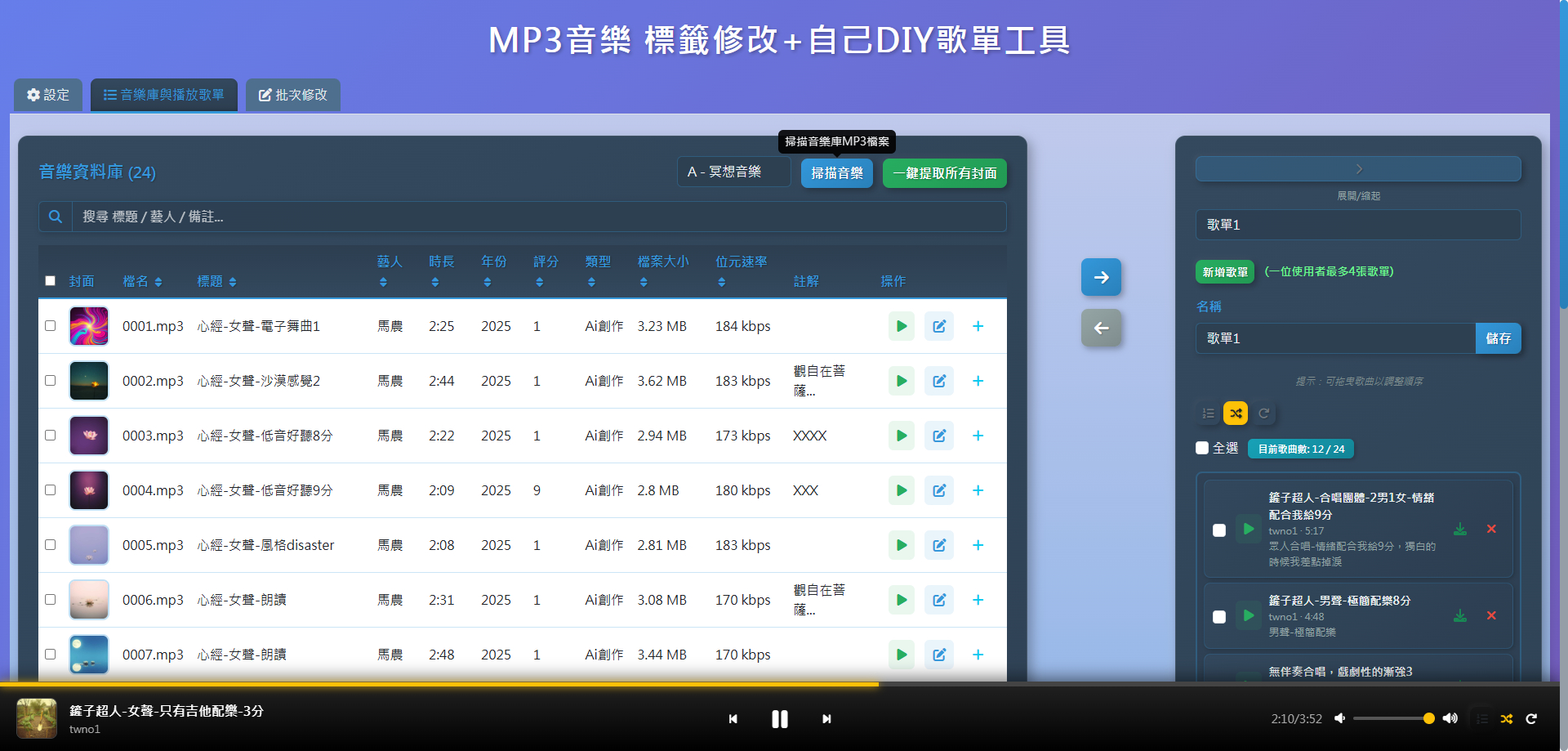
Clear music library list, supporting multi-column sorting and filtering, with the playlist editing area on the right.
Precise ID3 Tag and Cover Art Editing
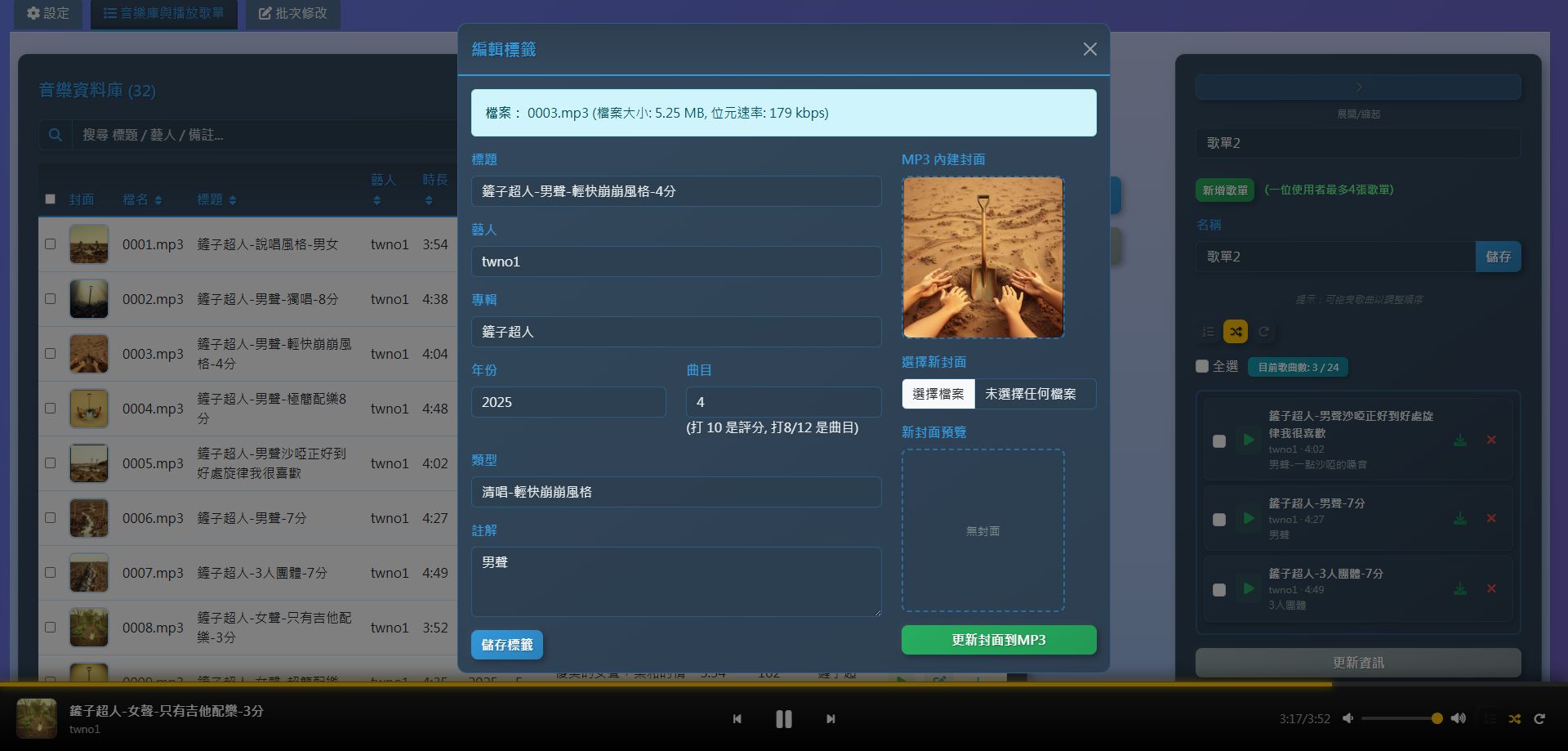
Detailed tag editing interface, supporting cover art upload and preview, ensuring your music information is complete.
Playlist Operations and Download Functionality
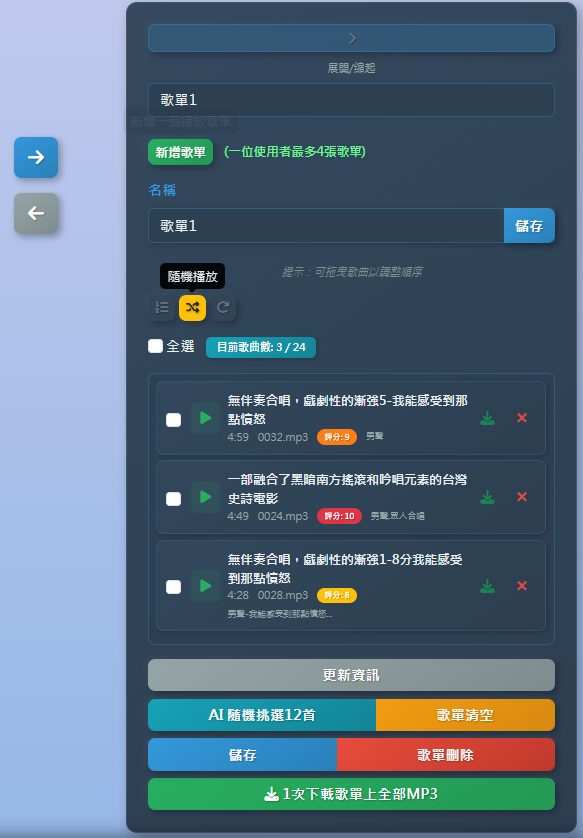
Intuitive playlist editing and saving, one-click AI random selection, and providing playlist batch download functionality.
Target Audience
- Individual users with a large number of local MP3 files who need efficient organization and management.
- Music enthusiasts who want to customize music tags and covers to enhance the quality of their music collection.
- Content creators who need to create and share personalized playlists.
- Users looking for a convenient way to download and backup music files.